NotebookLM mind maps: a navigation tool, not a poster
Most people generate a mind map, look at it for ten seconds and move on. That misses the point: every node is a clickable entry into your sources, and the shape of the map tells you what your notebook is missing.
NotebookLM was renamed Gemini Notebook in July 2026. This guide covers the same product under its new name — everything below still applies whether you know it as NotebookLM or Gemini Notebook.
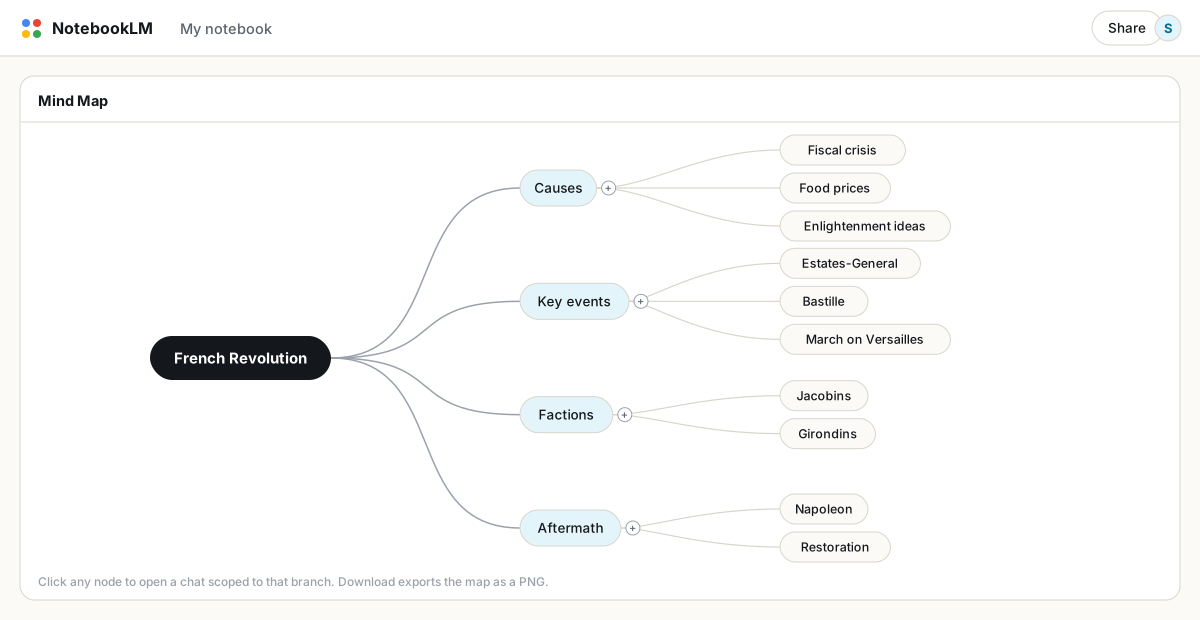
Click Mind Map in the Studio panel. NotebookLM builds a branching diagram of the concepts across your selected sources. Zoom and collapse branches, click any node to open a chat scoped to that topic, and use the download button to export the current view as a PNG.
Clicking nodes is the actual feature
Click a node and NotebookLM opens a chat question scoped to that branch. This changes how you explore a big notebook: instead of inventing questions from a blank input box, you browse the map, find the branch you care about, and drill in. For a fifty-source notebook it is the closest thing to a table of contents that spans everything.
Read the map as a gap report
The map is generated from your sources, so its shape is diagnostic. A branch with one thin twig where you expected a canopy means your notebook barely covers that topic. Students use this to find the lecture they skipped; researchers use it to decide what to source next; writers run it on their own drafts to see which subplot is underdeveloped. The weak branches are your to-do list.
Getting a better map
- Rename sources first. Source titles feed the map. Descriptive names produce meaningfully better branch structure than
document(3).pdf. - Scope with checkboxes. A map of two selected sources is tighter and deeper than a map of all fifty. Generate several scoped maps rather than one mega-map.
- Collapse aggressively. Fold away the branches you know. What remains is the part of the material you have not internalized yet.
Exporting and sharing
The download button exports a PNG of the map as currently expanded, so collapse the noise before exporting. Anyone you share the notebook with can open the interactive map themselves. For a document version of the same structure, generate a study guide or briefing doc from the same sources and export that to PDF; map plus document covers both ways people like to review.
Limitations worth knowing
- There is no in-place regeneration. If sources changed, delete the map and generate a new one.
- Mind maps are not available in the mobile app; this is a desktop feature.
- Free accounts can generate 10 mind maps per day, Pro 100. Scoped regeneration burns through that faster than you would expect.
FAQ
How do I create a mind map in NotebookLM?
Open your notebook and click the Mind Map tile in the Studio panel. The map generates from the sources currently selected in the Sources panel.
Can I edit a NotebookLM mind map?
You can expand and collapse branches, but not add or edit nodes. To change the content, change the source selection and regenerate.
How do I export a mind map?
The download button saves the current view as a PNG. Collapse irrelevant branches first, since the export reflects the expanded state.
Is NotebookLM the same as Gemini Notebook?
Yes. Google renamed NotebookLM to Gemini Notebook in July 2026 — it's the same product, same features, just a new name.
Xuất NotebookLM của bạn chỉ với một cú nhấp
Tiện ích Chrome miễn phí. PDF, Word và Markdown. Kết xuất trên máy của bạn — không tải gì lên.