NotebookLM Audio Overviews: the complete guide
The feature that made NotebookLM famous: two AI hosts turn your documents into a podcast that is genuinely pleasant to listen to. Here is how to control what they say, how long they talk, and what to do when they get it wrong.
NotebookLM was renamed Gemini Notebook in July 2026. This guide covers the same product under its new name — everything below still applies whether you know it as NotebookLM or Gemini Notebook.
Open a notebook and click Audio Overview in the Studio panel. Before generating, click the customize (pencil) icon to pick a format (Deep Dive, Brief, Critique, Debate), a length (Shorter, Default, Longer), a language, and a focus prompt. Generation takes a few minutes; you can download the result as an audio file or share it.
The four formats
- Deep Dive is the classic: two hosts discuss your sources conversationally. Best for absorbing a topic end to end.
- Brief is a single speaker in under two minutes. This is also the answer to the most common request, "can I get just one host?" Yes: pick Brief.
- Critique has the hosts evaluate your material and give feedback. Writers use it on their own drafts before publishing, which feels strange the first time and useful every time after.
- Debate stages a structured disagreement about the material. Good before a seminar or when a topic genuinely has two sides.
The customize dialog is the whole game
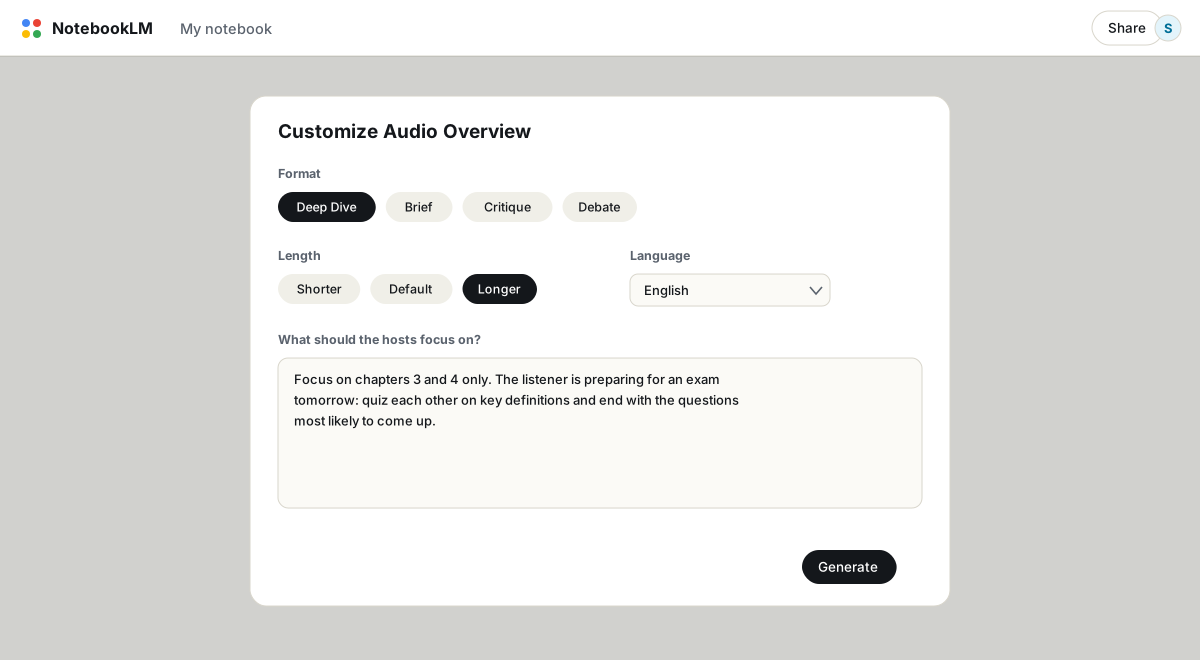
Generate without customizing and you get a competent, generic summary. The focus prompt changes that. Tell the hosts who is listening ("a student sitting the exam tomorrow"), what to cover ("chapters 3 and 4 only, skip the introduction"), and how to behave ("quiz each other on the definitions"). The hosts follow instructions surprisingly well, including strange ones. A separate article collects the prompts worth stealing.
Controlling length
The length selector (Shorter, Default, Longer) is available in English and sets the ballpark: minutes for Shorter, roughly ten for Default, twenty or more for Longer. The focus prompt can push much further in both directions. "Do not summarize, discuss every section in detail" plus Longer regularly produces episodes past the 40 minute mark. "Stay under five minutes" pulls the other way and is more reliable than choosing Shorter alone.
Languages
Audio Overviews speak more than 80 languages. Set the notebook's output language in Settings, or simply instruct in the focus prompt: "This episode is only in Spanish." Language learners run both directions, generating episodes in the language they study from sources in their own, and the other way around.
Interactive mode: interrupt the hosts
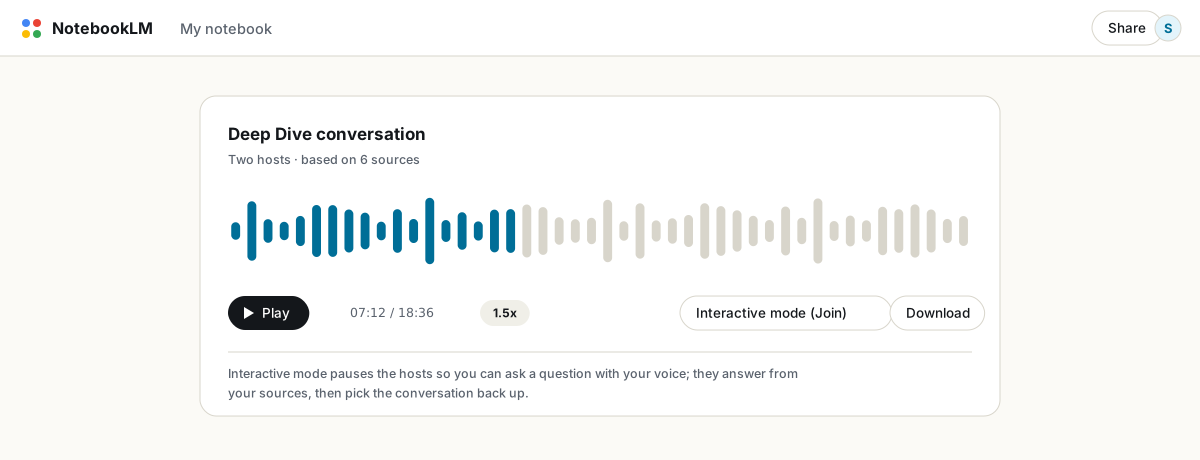
While an Audio Overview plays, a Join button appears. Click it, ask a question with your voice, and the hosts answer from your sources before resuming the episode. It is currently English-only and works on newly generated overviews. If you plan to use it, add a line to your focus prompt like "when I ask questions, go deeper rather than broader", which stops the hosts from deflecting back to their script.
Accuracy: the one thing to respect
Audio is the most persuasive format NotebookLM produces and the hardest to verify, since spoken claims carry no citations. The known failure cases are negations (a documented example had the hosts asserting the exact opposite of what a source said) and mangled names. Two mitigations work: generate audio from a distilled note you have already verified in chat rather than from twenty raw sources, and for problem names, add a small source file with phonetic spellings. For anything high-stakes, the citation-checked chat is the record; the audio is the commute version.
Limits and downloads
Free accounts generate 3 Audio Overviews per day; paid tiers raise that to 6, 20 or more (see free vs paid). Each output's menu offers a download as an audio file, and on the mobile app episodes play in the background and work offline. There is no editing after generation; to change anything, adjust the prompt and regenerate. If you want the episode's substance on paper, generate a report from the same sources and export it to PDF.
FAQ
How long can a NotebookLM Audio Overview be?
Default episodes run around ten minutes. The Longer setting plus a 'do not summarize, cover every section' focus prompt reliably produces 40 to 60 minute episodes from substantial sources.
Can I get a single host instead of two?
Yes. The Brief format uses one speaker. It is capped at around two minutes, so for long single-voice audio you would need to export a script and use a separate text-to-speech tool.
Can I download an Audio Overview?
Yes. Open the output's three-dot menu and choose download. The file plays anywhere and can be shared like any audio file.
Are Audio Overviews accurate?
Mostly, but not always, and errors sound as confident as everything else. Verify important material in chat first, where citations make checking possible, and treat the audio as a review format.
Is NotebookLM the same as Gemini Notebook?
Yes. Google renamed NotebookLM to Gemini Notebook in July 2026 — it's the same product, same features, just a new name.
Xuất NotebookLM của bạn chỉ với một cú nhấp
Tiện ích Chrome miễn phí. PDF, Word và Markdown. Kết xuất trên máy của bạn — không tải gì lên.