NotebookLM mobile app: what works and what's still missing
The mobile app is genuinely good for the things it was built for, listening and quick questions on the go, and genuinely limited for everything else. Here is what to expect before you go looking for a feature that only lives on the web.
NotebookLM was renamed Gemini Notebook in July 2026. This guide covers the same product under its new name — everything below still applies whether you know it as NotebookLM or Gemini Notebook.
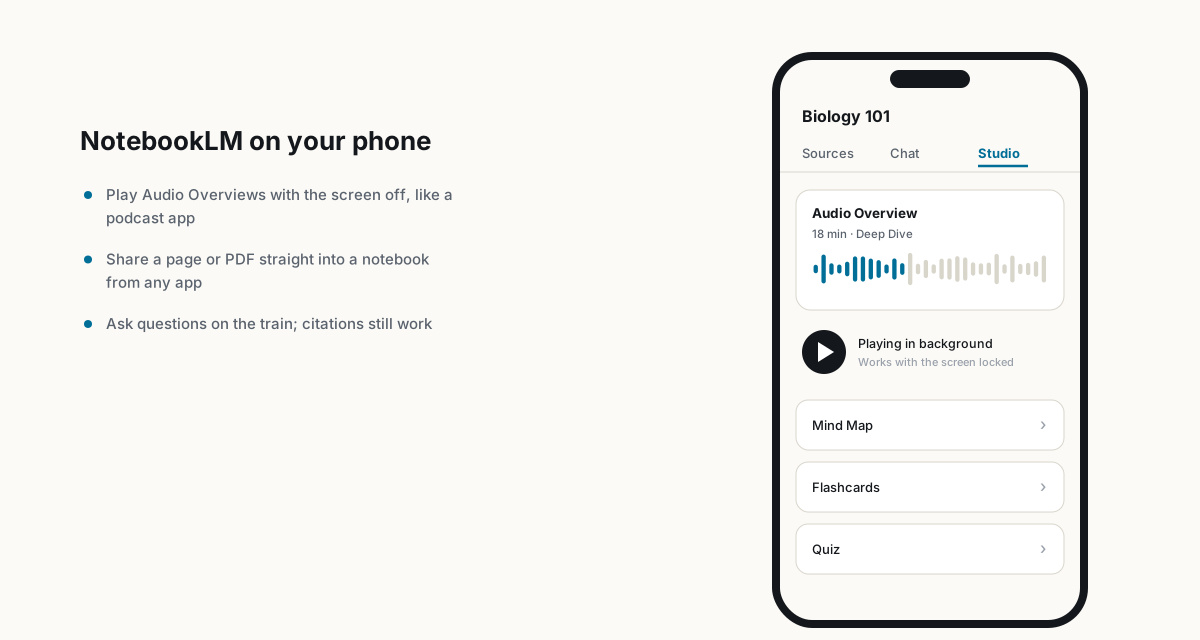
What the app is genuinely good for
- Background audio playback. Audio Overviews play like a podcast, screen off, with offline downloads for when you lose signal. This is the single best reason the app exists.
- Interactive mode on the move. The Join button works on mobile now, so you can interrupt a playing episode with a spoken question during a commute the same way you could on desktop.
- Sharing into a notebook from any app. Reading an article and want it as a source? Use your phone's share sheet and send the page, PDF or YouTube link straight into a notebook without opening a browser first.
- Flashcards and quizzes on the go. Full parity with desktop here, and arguably a better fit for a phone than for a laptop; a few minutes in line is enough for a flashcard pass.
- Video Overview playback and generation. Both work, with the same steering-prompt customization as the web version.
What is still missing
- Mind Maps are desktop-only. No mobile equivalent yet; open a browser for this one.
- Notes support is limited. You can view notes, but the full editing and organizing experience is built for a bigger screen.
- Source types are narrower. The mobile app adds PDFs, websites, audio, YouTube and pasted text well, but importing Google Docs, Slides or Sheets sub-tabs is smoother on desktop.
A practical split
Do the heavy lifting on desktop: adding a large batch of sources, building mind maps, editing notes, configuring chat instructions. Use mobile for consumption and quick capture: listening to Audio Overviews, sharing an article into a notebook the moment you read it, and running flashcard drills between other things. Treating the app as a companion to the web version rather than a full replacement avoids most of the friction.
For students specifically, the phone is where the actual studying tends to happen, quizzes on the bus, audio review before a class, while the notebook setup and source curation happens earlier at a desk.
FAQ
Can I generate Audio Overviews on the mobile app?
Yes, including length and format customization, and episodes play in the background with offline download support.
Does the NotebookLM app support Mind Maps?
No, not yet. Mind Maps remain a desktop-only feature; open the web version to use them.
Can I add sources to NotebookLM from my phone?
Yes, including through the share sheet from other apps, though the range of supported source types is narrower than on desktop.
Is NotebookLM the same as Gemini Notebook?
Yes. Google renamed NotebookLM to Gemini Notebook in July 2026 — it's the same product, same features, just a new name.
Esporta il tuo NotebookLM in un clic
Estensione gratuita per Chrome. PDF, Word e Markdown. Elaborata sul tuo dispositivo — niente viene caricato.