8 Audio Overview prompts that make the podcast worth listening to
The default NotebookLM podcast is pleasant and forgettable: two agreeable hosts summarizing politely. The customize box can make it argue, teach, quiz you and run for an hour. These are the prompts that do it.
NotebookLM was renamed Gemini Notebook in July 2026. This guide covers the same product under its new name — everything below still applies whether you know it as NotebookLM or Gemini Notebook.
All of these go in the focus prompt of the customize dialog (the pencil icon on the Audio Overview tile). They compose: pick a host dynamic, add a listener, set a length. If you have not used the dialog before, the full audio guide covers the basics of formats and lengths.
Start with the format, then write the prompt
Before you type anything, check which of the four built-in formats you are on, because it decides how much your prompt has to do. Deep Dive is the default two-host conversation most people think of as the NotebookLM podcast. The Brief is one speaker in under two minutes. The Critique has the hosts evaluate the material rather than explain it, and The Debate sets them against each other on purpose.
This matters because two of the prompts below are partly redundant now. If you want an argument, The Debate gets you most of the way there without a word of prompting — your prompt is better spent naming which specific disagreement to have. Picking the right format first and writing a shorter, more specific prompt beats fighting the default with a long one.
1. Give the hosts opposing jobs
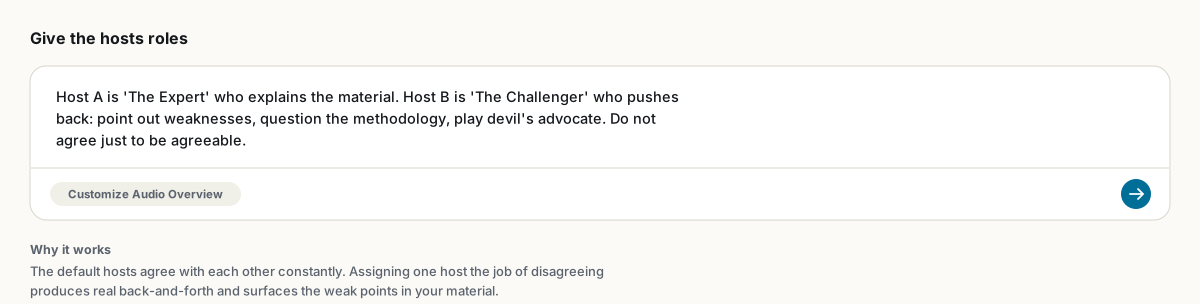
Host A is 'The Expert' who explains the material. Host B is 'The Challenger' who pushes back: question the methodology, point out gaps in logic, play devil's advocate. Do not agree just to be agreeable.The default hosts validate each other constantly, and after three episodes the "so true" rhythm starts to grate. Adversarial roles produce actual discussion, and as a bonus the Challenger tends to find the real weaknesses in your material.
2. Define the listener, not the topic
The listener is a first-year student who has never seen this material and is nervous about it. No jargon without an immediate plain-language explanation. Assume good intelligence and zero background."Make it simple" produces condescension. A concrete listener produces calibration. Swap in whoever you need: a CEO with four minutes, a skeptical engineer, your grandmother, a hiring committee.
3. Script a narrative arc
Start with the problem: [X]. Build toward [Y] as the surprising answer. End with what the listener should do differently tomorrow.Without an arc the hosts wander through your sources in file order. With one, the episode has a beginning, a reveal and a takeaway, and you will remember it days later. This is the difference between information and a story, and it costs one sentence.
4. The hour-long version
Do not summarize. Go through every section in detail, discussing every concept, example and number in the sources. The listener has time and wants depth over brevity.Combine with the Longer length setting. The hosts are summarizers by default; explicitly banning summarization changes their objective, and hour-long episodes from a dense document become normal. Commuters live on this one.
5. The five-minute cap
Be concise and stay within five minutes total. Spend no more than one minute on background. If forced to choose, keep the findings and cut the context.The inverse hack. Also works per-topic: "one minute maximum on history, the rest on the current debate." More dependable than the Shorter setting alone.
6. The exam-prep episode
The listener sits this exam tomorrow. Cover only chapters 3 and 4. Quiz each other on the key definitions, walk through one worked example each, and end with the five questions most likely to appear.Constraint plus format plus payoff. Students who pair this with the flashcards and quiz tools get a full revision loop: listen on the bus, drill at the desk.
7. Hold a language
This episode is ONLY in Portuguese. Do not switch to English at any point, including for technical terms; explain them in Portuguese instead.Audio Overviews officially support 80+ languages via the output language setting, but the explicit "only" instruction keeps the hosts from drifting when your sources are in English. Language learners generate the same episode at two difficulty levels by adding "speak slowly and use common vocabulary" to one of them.
8. Prime it for interruptions
I will interrupt with questions using interactive mode. Treat them as genuine curiosity: go deeper on what I ask, not broader. If I push back on a claim, engage with my objection rather than smoothing it over.Interactive mode (the Join button) lets you question the hosts mid-episode. Unprimed, they tend to give a polite non-answer and return to script. Primed, it turns into a tutorial. English only for now.
There is no editing after generation, so iterate on the prompt, not the output. And since spoken claims carry no citations, verify anything important in chat first; the podcast is the review copy, not the record.
FAQ
Where do these prompts go?
In the focus prompt field of the Customize Audio Overview dialog, opened with the pencil icon on the Audio Overview tile before you generate.
Can I change the hosts' voices?
No. The voice pair is fixed. You can change their behavior, roles, language and pacing through the customize prompt, but not the voices themselves.
Do customize prompts work in every language?
The focus prompt works broadly, and audio generation supports 80+ languages. The length selector (Shorter/Default/Longer) and Interactive mode are currently English-only.
Is NotebookLM the same as Gemini Notebook?
Yes. Google renamed NotebookLM to Gemini Notebook in July 2026 — it's the same product, same features, just a new name.
Експортуйте свій NotebookLM в один клік
Безкоштовне розширення Chrome. PDF, Word і Markdown. Обробка на вашому пристрої — нічого не завантажується в мережу.