10 NotebookLM prompts that get dramatically better answers
NotebookLM does not need clever prompts to work. It needs specific ones. These ten are the templates I keep coming back to, with what each is for and why it beats the obvious alternative.
NotebookLM was renamed Gemini Notebook in July 2026. This guide covers the same product under its new name — everything below still applies whether you know it as NotebookLM or Gemini Notebook.
A note on how these work. NotebookLM already knows to answer from your sources, so the usual chatbot incantations add nothing. What moves the needle is telling it three things: what shape the answer should take, what standard of evidence you expect, and what to do when the sources run out. Every prompt below is built on those three levers.
1. The contradiction detector
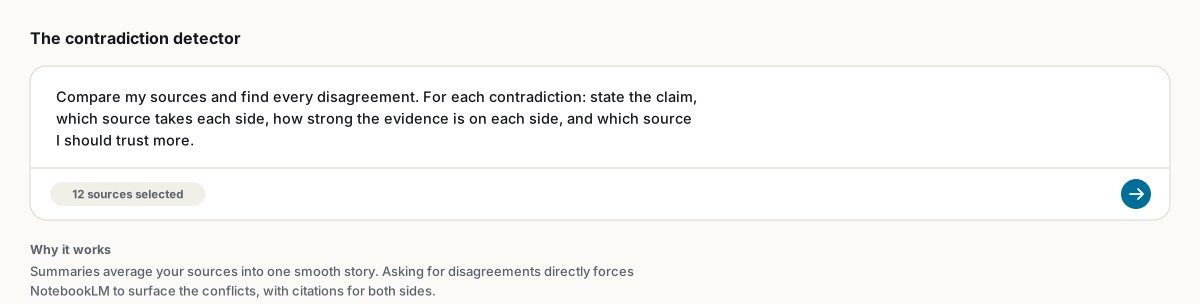
Compare my sources and find every disagreement. For each contradiction: state the claim, which source takes each side, how strong the evidence is on each side, and which source I should trust more.Sources genuinely disagree with each other, and a summary will quietly average the disagreement away. Asking for conflicts directly is the fastest way to find the interesting part of any research corpus. Works on papers, on competing vendor docs, on witness statements.
2. The citation audit
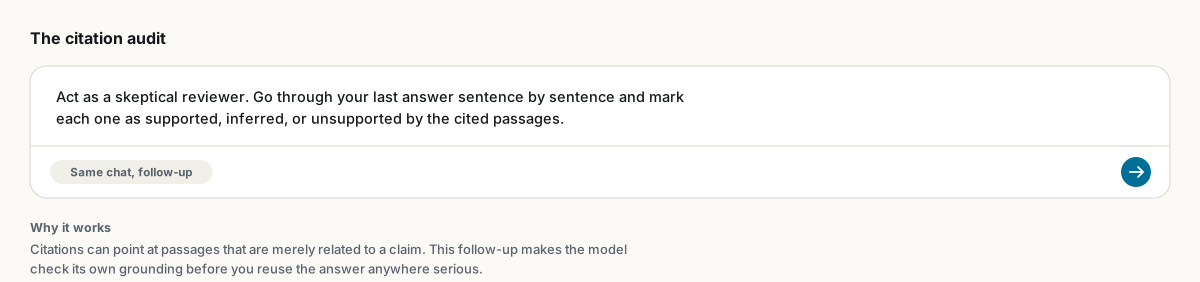
Act as a skeptical reviewer. Go through your last answer sentence by sentence and mark each one as: supported (directly stated in a cited passage), inferred (reasonable but not stated), or unsupported.Citations can point at passages that are related to a claim without actually supporting it. Run this before an answer goes anywhere that matters, then follow with "rewrite using only the supported claims" if the audit comes back patchy.
3. The decision memo
Structure your answer as a decision memo with exactly these sections: 1) What the evidence says, 2) What it does not say, 3) Risks and blind spots, 4) Recommended action. One page maximum.The "what it does not say" section is the trick. It forces the model to map the edges of your sources instead of papering over them, and it is usually the section your boss reads twice.
4. The quote bank
Give me the 5 most quotable passages on [topic], as exact quotes with citations. Prefer passages that are specific, surprising, or state a number.For writers and researchers. Save each result as a note and you gradually build a citation-ready quote library. By the time you draft, the evidence is already collected.
5. The research gap finder
Identify gaps across my sources: 5 unanswered questions, 3 methodological weaknesses, 2 contradictions, and 1 assumption nobody examines.The quotas matter. Without them you get "more research is needed" in fancier words. With them you get a numbered list you can turn directly into a research plan or a thesis introduction.
6. The oral examiner
Ask me 15 questions about [topic], one at a time, increasing in difficulty. After each answer I give, grade it and explain what I missed, citing the exact source passage.Recall practice beats re-reading, and this makes NotebookLM run the drill for you. Medical students use exactly this pattern for viva prep; it works on any subject with defined material. Pairs well with flashcards and quizzes.
7. The teach-back
I am going to explain [concept] to you in my own words. Act as a skeptical student: ask one basic question, one follow-up that tests real understanding, and one edge case. Then critique my explanation against the sources.Reading a summary feels like understanding. Explaining the material and getting cross-examined is understanding. This is the Feynman technique with a tireless partner.
8. The meeting extractor
From my transcripts: 1) Decisions made, numbered. 2) Action items with owner and deadline. 3) Open questions. 4) Anything decided earlier and reversed later. One page.Point 4 only becomes possible when several weeks of transcripts share a notebook, and it is where the real value hides. Full workflow in NotebookLM for meetings.
9. The comparison table
Build a table comparing my sources. Columns: source, method, sample or scope, key claim, main limitation. One row per source. Mark anything not stated as 'not in source'.The final instruction is the important one. It gives the model an honest way out, which measurably reduces invented table cells. Tables also survive Save to note with their formatting, and export cleanly to Word or PDF.
10. The honest summarizer
Summarize [source] for someone who will not read it. Cover: the core argument, the 3 strongest pieces of evidence, the weakest point, and who would disagree with this and why."Who would disagree" turns a book report into an actual briefing. It is also a decent test of whether your sources contain more than one point of view; if the model cannot answer it, your notebook has a blind spot.
Prompts you reuse constantly belong in the notebook's custom chat instructions, where they apply automatically to every question. See how to configure chat.
FAQ
Do prompt techniques from ChatGPT work in NotebookLM?
Mostly no. NotebookLM is already grounded in your sources, so role-play and elaborate framing add little. Specifying answer structure, evidence standards, and what to do when sources are silent is what improves results.
How do I make a prompt apply to every question?
Put it in the notebook's custom chat instructions: chat settings, then Custom. It then persists for that notebook without retyping.
Can I save the answers these prompts produce?
Click Save to note inside NotebookLM, or export the whole chat as PDF, Word or Markdown with the free NotebookLM to PDF extension.
Is NotebookLM the same as Gemini Notebook?
Yes. Google renamed NotebookLM to Gemini Notebook in July 2026 — it's the same product, same features, just a new name.
ส่งออก NotebookLM ของคุณได้ในคลิกเดียว
ส่วนขยาย Chrome ฟรี รองรับ PDF, Word และ Markdown ประมวลผลบนเครื่องของคุณเอง — ไม่มีการอัปโหลด