The best AI for data analysis, if you don't want to write code
Every general-purpose AI chatbot now claims it can analyze your spreadsheet. The listicles ranking them mostly compare enterprise BI platforms, Power BI, Tableau, Snowflake, that nobody with a single CSV is actually choosing between. This is the other comparison: ChatGPT, Claude, Gemini Notebook, Julius AI and Perplexity, for someone who has a file and wants an answer, checked against each vendor's own support documentation rather than a marketing page.
There's no single winner; it depends on where your data lives. For a one-off CSV or Excel file you're uploading fresh, ChatGPT's Advanced Data Analysis and Claude's code execution both work well, with Claude capped at a confirmed 30MB per file and ChatGPT's practical ceiling closer to 50MB for spreadsheets despite a nominally larger 512MB hard cap. For data that's part of a larger research project you're already building in sources, Gemini Notebook's code execution analyzes it grounded against everything else in the notebook, a genuinely different capability the other tools don't have, though Google hasn't published exact file-size or row limits for it.
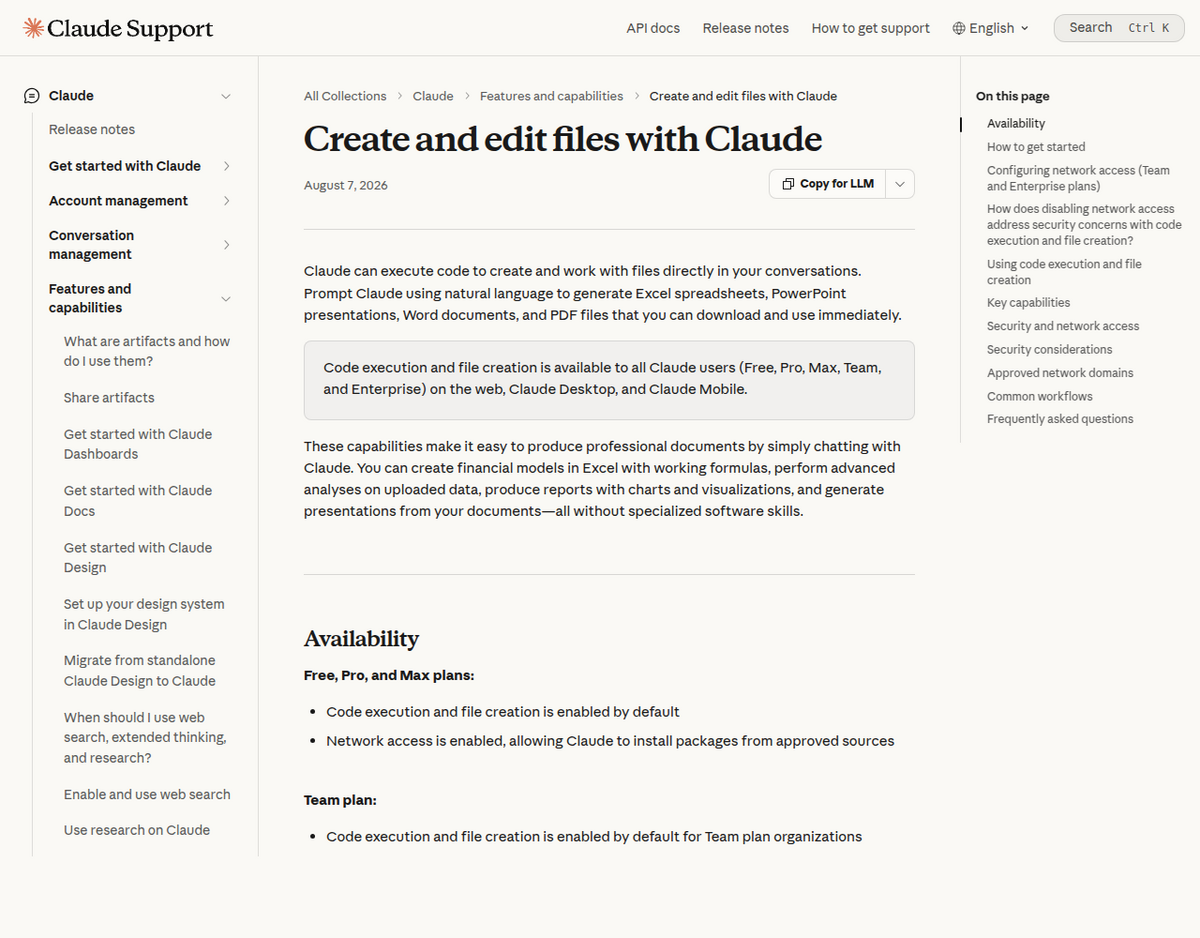
Claude is the most precisely documented of the five. Anthropic's own support article states code execution and file creation are on by default for Free, Pro and Max plans, with a hard 30MB cap per file, confirmed directly against Anthropic's support page rather than a secondary source.
Julius AI is a dedicated data-analyst chat, not a general assistant, with the deepest free-tier limits of the group and a weak Trustpilot record worth knowing about before you pay. Perplexity's Labs feature can run a longer, multi-step analysis session, but it's Pro-only and specifically weak with .xlsx files in multiple independent reports.
None of the five tools recalculates Excel formulas or macros. Every one of them, including Claude and ChatGPT, reads a spreadsheet's values as text or re-derives them with its own code, not Excel's calculation engine. If your file leans on complex formulas, check the output against the original before trusting it.
What these five tools actually are, since "AI data analysis" means different things
Lumping these together by the phrase "AI for data analysis" hides a real split in how they work. ChatGPT, Claude and Perplexity are general chat assistants with a data-analysis capability bolted on, each spins up a sandboxed code environment, usually running Python, when your question needs calculation rather than language. Julius AI is built as a dedicated data analyst from the ground up: uploading a file and asking questions in plain English is the entire product. Gemini Notebook is the outlier: it doesn't analyze an uploaded file in isolation, it runs code against your data grounded in the rest of a notebook's sources, treating a CSV the same way it treats a PDF or a web page you've added, as one more source it can cross-reference.
File size and format limits, confirmed where we could
Tool              Confirmed limit                         Source
---------------------------------------------------------------------------
Claude            30MB per file (upload or download)     Anthropic's own
                                                           support article
ChatGPT            ~50MB practical ceiling for CSV/       OpenAI help content;
                   spreadsheets; 512MB hard cap across     real-world reports
                   file types                              of degraded results
                                                            above ~50MB
Gemini Notebook    Not published                          No official number
                                                           found for the
                                                           code-execution
                                                            feature specifically
Julius AI          Not confirmed                          Pricing/limits
                                                           page unreachable
                                                           for direct check
                                                            this run
Perplexity Labs    10-40MB, conflicting reports            No single reliable
                                                            source; verify
                                                            before relying on it

Claude's number is the only one in this table confirmed directly against
a vendor's own current support page rather than secondary reporting.
Claude's limit is the one worth trusting most precisely: Anthropic's own support documentation states the maximum file size is 30MB per file for both uploads and downloads, and separately notes PDFs over that size can still be processed through Claude's code-execution environment without loading the whole document into context, a workaround that doesn't apply to CSV or Excel files. ChatGPT's situation is messier: OpenAI's own help center describes a roughly 50MB practical limit for CSV and spreadsheet uploads depending on row width, inside an overall 512MB hard cap across all file types, but real-world reports on OpenAI's own community forum describe truncation and outright failures on files well under that ceiling, so treat 512MB as a theoretical maximum, not a working one.
What actually breaks, by tool
Every one of these tools fails in ways a marketing page won't tell you about. Here's what real users report, drawn from each vendor's own community forums and independent testing rather than review-site summaries.
ChatGPT: truncation, fabricated numbers, and chart rendering gaps
- Silent truncation on large files. Multiple threads on OpenAI's community forum describe a large CSV being read as only its first row or a partial slice, with no warning that the rest was dropped. One older report of a 100-million-row financial CSV, dated 2024, found the upload succeeded but the analysis step failed outright, with no fix found in that thread; we found no more recent report confirming whether that specific failure still occurs on today's ChatGPT.
- Numbers that look computed but weren't. A documented KDnuggets test found ChatGPT citing a statistic that traced to no code actually executed in that session, an in-text guess dressed up as a calculated result. This is the single most important thing to spot-check: ask ChatGPT to show you the code it ran, not just the number it returned.
- Chart rendering depends on which mode is active. Outside Advanced Data Analysis specifically, ChatGPT can hand back raw HTML/JS for a chart instead of a rendered image, which looks broken if you weren't expecting it.
Claude: usage caps and a text-only read of your spreadsheet
- Usage limits can be hit faster than expected during an active analysis session, especially on multi-step analyses that call code execution repeatedly; this shows up repeatedly in secondhand summaries of Reddit and forum discussion, though we didn't trace it to a single specific thread worth linking.
- Claude reads a spreadsheet's cell values, it doesn't run Excel's formula engine. It won't recalculate a formula, execute a macro, or preserve conditional formatting. Anthropic's own documentation is upfront that Claude should be treated as an assistant that needs checking, not an autonomous modeler.
- Claude for Excel, the separate Microsoft Office add-in (not the same as in-chat code execution), requires a Microsoft 365 work or school account; personal @outlook.com accounts and Office 2016/2019 aren't supported, a gate that trips up people expecting it to work like a normal Office add-in.
Gemini (the chatbot, not Gemini Notebook): spreadsheet import gaps
Worth separating clearly from Gemini Notebook below: the general Gemini chatbot has its own, different track record with spreadsheets. A thread on Google's AI developer forum describes repeated failures converting an uploaded .xlsx file to CSV internally, with a wider dataset than intended getting pulled in despite explicit constraints in the prompt. If you're using plain Gemini chat rather than Gemini Notebook for a wide spreadsheet, check the full dataset actually loaded before trusting the analysis.
Gemini Notebook's code execution: the angle the other comparison guides miss
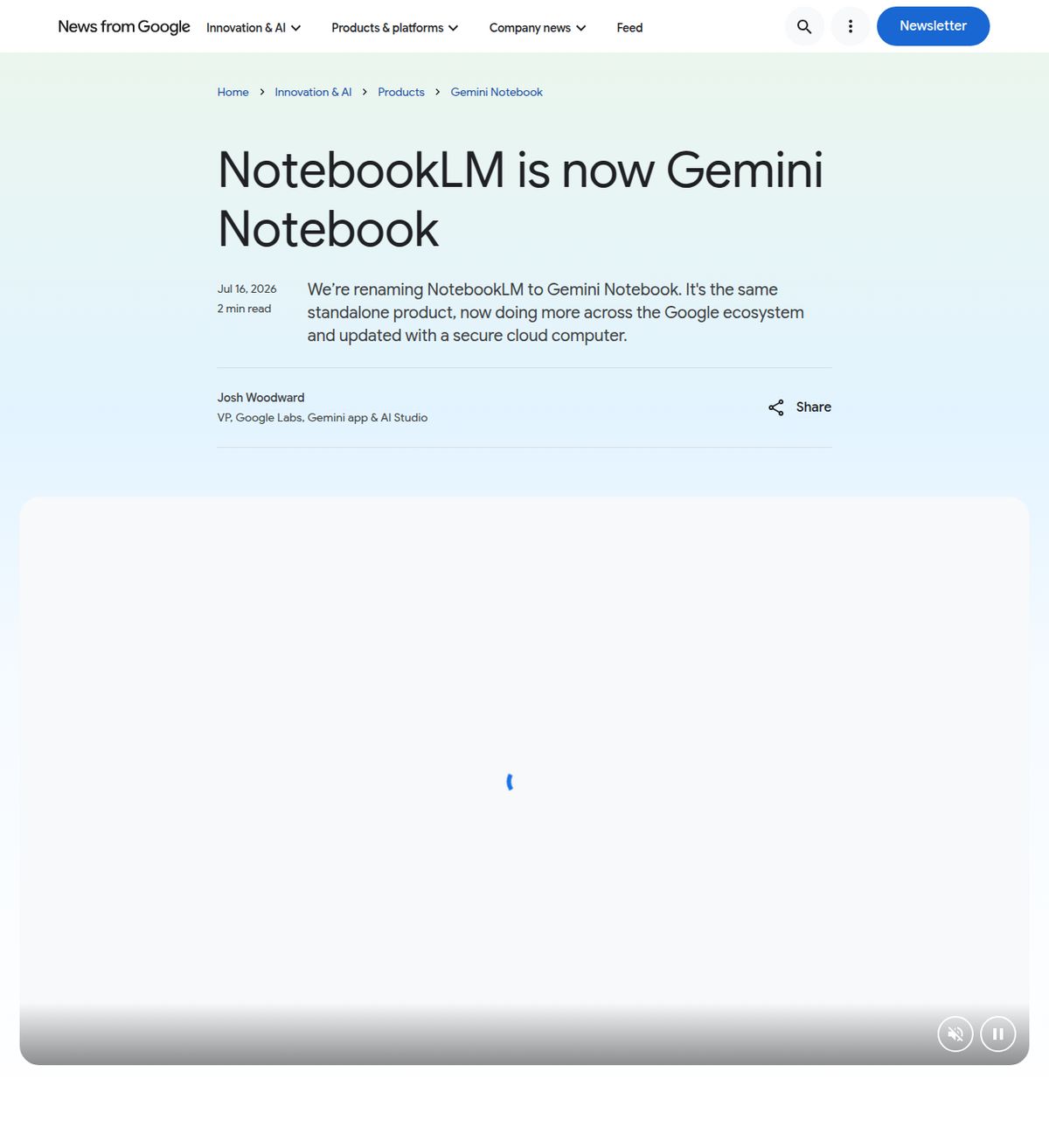
Every general "best AI for data analysis" comparison we checked while researching this piece, including guides ranking a dozen tools, covers ChatGPT, Claude and a stack of enterprise BI platforms, and mentions Gemini Notebook, if at all, only as a "see also" link with no discussion of its data capability. That's a real gap: Google's own announcement, renaming NotebookLM to Gemini Notebook on 16 July 2026, confirms every notebook now runs on "a secure cloud computer," letting it write and execute code grounded in your uploaded sources rather than analyzing a file in isolation.
What that looks like in practice, per a hands-on test of the feature we reviewed: data cleaning that flags outliers and missing values (including catching a formula error where a text value was silently read as zero in a SUM calculation, a mistake a spreadsheet itself wouldn't flag), descriptive statistics, multiple analysis approaches run side by side, histograms, top/bottom rankings, week-over-week comparisons, correlation analysis, and an exportable formatted PDF report. The genuine differentiator is grounding: because the sheet lives inside a notebook alongside your other sources, you can ask a question that spans both, cross-referencing a dataset against a PDF report or a set of articles in the same notebook, something none of the other four tools in this comparison can do, since they each treat an uploaded file as its own isolated session.
The catch is access and documentation. At launch, code execution was available to Google AI Ultra subscribers and Workspace business customers on AI Ultra Access or AI Expanded Access tiers, with Pro users promised access "over the coming weeks" rather than immediately; we found no confirmation of free-tier access as of this writing. We also could not find an official Google page stating file-size, row-count, or supported-format limits specifically for this feature, an actual documentation gap rather than something we simply missed; if exact limits matter for your use case, test with your own file before committing to a workflow built around it.
Julius AI and Perplexity Labs
Julius AI is built specifically around this one task: upload a dataset, ask in plain English, get Python-driven analysis, charts and forecasting back. It's a reasonable pick if you want a dedicated tool rather than a side feature of a chat assistant, but go in with eyes open on two things. First, the free tier allows roughly 15 messages a month by most current accounts, though Julius reportedly changed its metering model during 2026, so confirm the live number on Julius's own pricing page before relying on it. Second, Julius carries a weak public reputation: Trustpilot lists it at 1.8 out of 5 from 20 reviews, 80% of them one star, a small sample but a consistently poor one, worth a look yourself before paying.
Perplexity Labs, a Pro-tier feature ($20/month), takes a different approach: instead of a quick back-and-forth, it runs a longer session, ten minutes or more, that can upload a file, write and execute code, and compile a small report or mini-app in one pass. That's useful for a more involved analysis you're willing to wait for, less useful if you want a quick answer. Its clearest weak point we found is .xlsx handling specifically: multiple sources describe Perplexity's parser struggling with native Excel binary files, with converting to CSV first as the common workaround. File-size limits for Perplexity are inconsistently reported across the sources we checked, from 10MB to 40MB depending on format, so we're not confident enough in any single number to publish it here; test your own file size before relying on a specific ceiling.
Pricing, at a glance
Tool               Entry point for data analysis           Notes
--------------------------------------------------------------------------------
ChatGPT             Free (3 uploads/day), Plus $20/mo       Higher throughput
                                                              on paid tiers
Claude               Free, Pro $20/mo, Max higher            On by default,
                                                              no separate fee
Gemini Notebook       AI Ultra / Workspace at launch;         Free-tier access
                      Pro rolling out "over coming weeks"     unconfirmed
Julius AI             Free (~15 messages/mo),                 Paid tiers from
                      paid tiers from roughly $20/mo          roughly $20-45/mo,
                                                               confirm current
                                                               price directly
Perplexity Labs       Pro only, $20/mo                        Not available on
                                                               Perplexity's free
                                                               tier

Figures current as of this writing; AI-tool pricing changes often enough
that we'd check each vendor's own pricing page before you commit to a plan.
Which one to actually pick
- One-off CSV or Excel file, quick question: ChatGPT or Claude both handle this well. Pick Claude if you want a documented, predictable 30MB limit and code execution on by default; pick ChatGPT if your free tier matters, since its no-cost analysis access is more generous day to day than Claude's.
- Data that's part of a bigger research project, alongside PDFs, articles, or other sources you're already working with, use Gemini Notebook's code execution so the analysis stays grounded in everything else in the notebook, not just the one file. Confirm you have Ultra or Pro access first, since free-tier availability isn't confirmed.
- You want a dedicated analyst tool, not a chat assistant with a side feature: Julius AI fits that brief, but verify current pricing and read recent reviews yourself before paying, given the inconsistent free-tier reporting and the reputation flag above.
- A longer, multi-step analysis you're willing to wait on, and you already pay for Perplexity Pro: Labs is a reasonable use of a subscription you already have. Convert
.xlsxfiles to CSV first if you hit parsing trouble. - Whatever you pick, verify the output. Every tool in this comparison has a documented failure mode, truncated rows, a fabricated number, a formula read as plain text, a silently-capped column import. Ask for the code that produced a number before you act on it; it's the one check that catches most of what goes wrong across all five tools.
People also ask
What's the best free AI for data analysis?
ChatGPT's free tier allows up to 3 file uploads a day with Advanced Data Analysis, the most generous no-cost option among mainstream tools. Claude's code execution is also free by default on the Free plan, with a confirmed 30MB per-file limit. Gemini Notebook's code execution was not confirmed available on its free tier as of this writing.
Can ChatGPT or Claude analyze an Excel file with formulas?
Both read a spreadsheet's values, not Excel's live calculation engine. Neither recalculates formulas, runs macros, or preserves conditional formatting. For a file that leans on complex formulas, check the AI's output against the original spreadsheet before trusting it.
What makes Gemini Notebook different for data analysis?
It analyzes a file grounded in the rest of a notebook's sources rather than in isolation, so you can ask questions that cross-reference a spreadsheet against a PDF or article you've also added. Google hasn't published exact file-size or row limits for the feature, and access at launch was limited to AI Ultra and Workspace tiers, with Pro access rolling out afterward.
What's the maximum file size Claude can analyze?
30MB per file for both uploads and downloads, confirmed directly in Anthropic's own support documentation. PDFs over that size can still be processed through code execution without loading the full document into context, but that workaround doesn't apply to CSV or Excel uploads.
Is Julius AI worth paying for over ChatGPT or Claude?
It's a dedicated data-analyst interface rather than a general chatbot, which suits people who want that focus. Its free tier (roughly 15 messages a month) is more limited than ChatGPT's or Claude's, and it carries a notably weaker Trustpilot record than the larger platforms (1.8/5), so confirm current pricing and read recent reviews before switching.
صدّر NotebookLM بنقرة واحدة
إضافة Chrome مجانية. PDF وWord وMarkdown. تتم المعالجة على جهازك — لا يُرفع أي شيء.