Gemini's flashcards and Gemini Notebook's flashcards are not the same feature
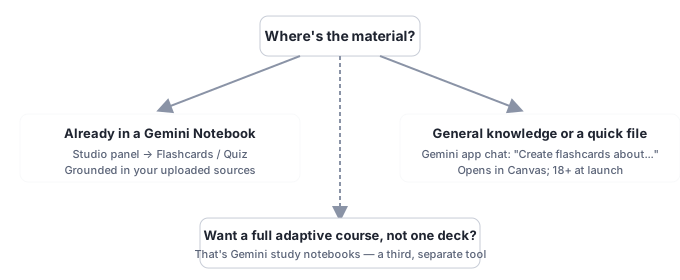
Type "gemini flashcards" into Google and you'll get results for two completely different products: a chat-based study tool inside the general Gemini app, and a source-grounded Studio panel feature inside Gemini Notebook (formerly NotebookLM). Google has never published a page that tells you which is which. Here's the actual difference, confirmed against Google's own documentation for both.
They're two separate Google features that happen to share a name. The Gemini app's "Quizzes & flashcards" (gemini.google.com) generates study material from general knowledge or whatever you describe or attach in that one chat, and opens the result in a panel called Canvas. Gemini Notebook's Flashcards & Quiz (notebook.google.com) generates material strictly from the sources you've uploaded to a specific notebook, with every answer citable back to the source that supports it, and lives in the Studio panel.
Both are free with a signed-in Google account, no subscription required for either, confirmed against Google's own Gemini Apps feature-availability table, which lists no plan gate for "Quizzes & flashcards." At the August 2025 launch of the Gemini app's flashcards and study guides, Google restricted all three (quizzes, flashcards, study guides) to users 18 and older; Gemini Notebook's version carries no published age restriction beyond Google's general account rules.
Grounding is the real difference, not the output format. Both produce flashcards and quizzes that look similar on screen. What they're built from is not the same: one is an on-demand study aid pulled from the model's general knowledge (or a file you hand it in the moment), the other is a citation-backed study aid pulled from a persistent, curated source collection you built for a specific research or study project.
There's a third, unrelated Google "notebook" product too: Gemini study notebooks, a separate adaptive-course tool launched June 2026. We cover that one in its own disambiguation guide; this article is specifically about the two flashcard-and-quiz features.
Two different products, the same two words
Neither Google product page cross-references the other. The Gemini app's feature-availability documentation never mentions Gemini Notebook; no Gemini Notebook help page mentions the Gemini app's quiz tool. That's not an oversight unique to this feature, Google rarely cross-links its own overlapping product names, but it does mean a search for "gemini flashcards" genuinely can't tell you which product you want without reading past the headline.
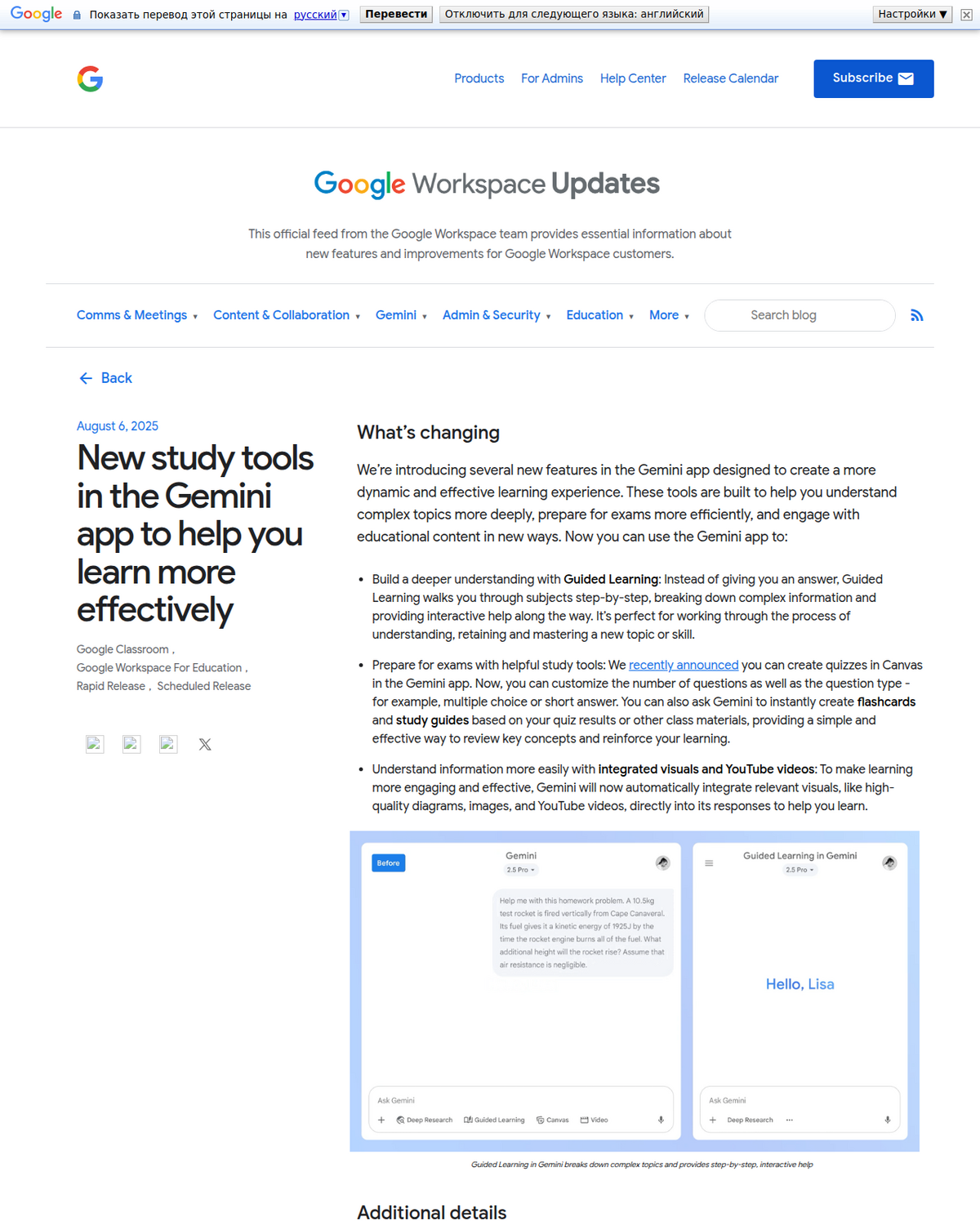
The Gemini app's Quizzes & flashcards
Quiz creation in Canvas launched first, on 20 May 2025, per Google's own launch post: "You can now generate quizzes for any subject using Canvas in the Gemini app," either from an uploaded document or a plain-text prompt. Flashcards and study guides followed on 6 August 2025, per Google's own Workspace Updates post: you can ask Gemini to "instantly create flashcards and study guides based on your quiz results or other class materials." At that August 2025 launch, Google stated all three, quizzes, flashcards, and study guides, were restricted to users 18 and older; quizzes were opened to under-18 accounts the following month, and flashcards were extended to Google Workspace for Education accounts across all ages by mid-October 2025.
To use it today: open gemini.google.com, sign in, and type a prompt like "Create a quiz about the French Revolution" or "Create flashcards about photosynthesis," optionally attaching a file first with Add files. The result opens in Canvas, Gemini's interactive side panel. Quizzes offer Hint, Next/Back navigation, a "more questions" option, and an end-of-session summary of your strengths and weak spots. Flashcards offer Hint, Shuffle mode, text-to-speech playback, and Restart. Signed-in Workspace business and education accounts can't share content created this way with other users, per Google's own "additional details" on the launch post, though a personal account can share a link that Workspace users can view (but not edit or regenerate).
Gemini Notebook's Flashcards & Quiz
Gemini Notebook's version lives in the Studio panel of a specific notebook, not in general chat. Click Flashcards or Quiz, use the pencil icon to set difficulty (easy, medium, hard), card count, and an optional focus prompt, and the result draws exclusively from the sources you've uploaded to that notebook, PDFs, web pages, YouTube transcripts, pasted text, whatever you've added. Both quiz answers and flashcards carry an Explain button that cites the specific source passage behind them, and flashcard sets export to CSV for use in Anki or similar spaced-repetition tools. We cover the full workflow, including how to avoid recognition-only studying, in our Gemini Notebook flashcards and quizzes guide.
The practical consequence of that grounding difference: ask the Gemini app for flashcards on a topic and it will answer from general training knowledge, which is fine for a well-established subject like photosynthesis but can drift or miss specifics for anything niche, recent, or drawn from your own course materials. Ask Gemini Notebook and it can only answer from what you fed it, which means it can't hallucinate a fact that isn't in your sources, but it also can't help you study something you haven't uploaded yet.
Side by side
                    Gemini app (Canvas)          Gemini Notebook (Studio)
---------------------------------------------------------------------------
Access point        gemini.google.com chat       notebook.google.com,
                     prompt: "Create flash-        a specific notebook's
                     cards about..."               Studio panel
Grounded in          General model knowledge,      Only the sources you've
                      or a file attached to         uploaded to that
                      that one chat                 notebook
Output panel         Canvas                        Studio
Citations            None                          Quiz answers and
                                                     flashcards both link
                                                     to the source passage
Export               None documented                CSV (Anki-compatible)
Subscription          Free, signed-in account        Free, signed-in account
                      required; no plan gate         required; no plan gate
Age/access notes     18+ at 2025 launch; quizzes     No published age
                      opened under-18 Sep 2025;       restriction beyond
                      flashcards to Education         standard Google
                      all ages Oct 2025               account rules
Best for             A quick study aid on a         Studying your own
                      general or well-known           course readings,
                      topic, no setup required        papers, or notes
A worked example: studying the same topic two ways
Here's the practical difference, as a hypothetical rather than a test we ran: say you're reviewing a graduate seminar reading, a 40-page PDF on monetary policy transmission mechanisms your professor assigned last week. Type "create flashcards about monetary policy transmission" into the Gemini app without attaching the PDF, and based on how the feature is documented to work, you'd expect a competent, generic deck built from general training knowledge: interest rate channels, the credit channel, exchange rate effects, the textbook version of the topic. That would be accurate as far as general macroeconomics goes, but it has no way to reflect what your specific reading argues, which examples it uses, or which position your professor's paper takes in the broader debate, because the model was never given the PDF.
Upload that same PDF to a Gemini Notebook and click Flashcards instead, and the grounding mechanics described earlier mean the deck would be built from the paper's actual argument, its specific model setup, its named case studies, its stated conclusions, rather than the textbook default. Click Explain on any card and you'd get the paragraph it came from, so if a card looked off, you could check whether the model misread the source or you misunderstood the card. That's the practical shape of the difference: general-knowledge recall versus this-document comprehension. Neither is strictly better, a first-pass refresher on a well-known topic doesn't need source grounding, but using the wrong tool for the job either wastes the grounding Gemini Notebook offers or asks the Gemini app to know something it was never shown.
A third tool worth knowing about: Gemini study notebooks
If neither of the above is what you were actually looking for, there's a third Google product in this space: Gemini study notebooks, launched 25 June 2026, an adaptive diagnostic-quiz and lesson-path tool that syncs with Google Classroom and is distinct from both the Gemini app's Canvas tools and Gemini Notebook's Studio panel. It's built for a guided, multi-session course rather than a single flashcard deck or quiz. We cover what it actually does, and how it differs from both products above, in our dedicated Gemini study notebooks guide. If you're trying to build an ongoing study plan rather than review one topic, that's the one to check next.
Which one should you actually use?
- You're already researching inside a Gemini Notebook (a stack of PDFs, articles, or lecture notes you've uploaded): use the Studio panel's Flashcards and Quiz. It's the only version that can cite its own answers back to your material, and it's the one that can't invent a fact that isn't in your sources.
- You want a quick study aid on a general, well-documented topic and don't have a notebook built yet: the Gemini app's chat-based version is faster to start, no setup, just a prompt, but treat its answers like any other chat response: verify anything specific before you memorize it.
- You're building a multi-week study plan, not reviewing one topic: check Gemini study notebooks instead of either flashcard tool.
- You want to export your cards into another app, like Anki: only Gemini Notebook's version documents a CSV export path. The Gemini app's Canvas flashcards have no documented export beyond sharing a link.
People also ask
Does Gemini have flashcards?
Yes, two separate versions. The general Gemini app (gemini.google.com) has a chat-based flashcards and quiz feature in its Canvas panel, launched August 2025. Gemini Notebook (formerly NotebookLM) has a separate Flashcards & Quiz feature in its Studio panel, grounded in your uploaded sources rather than general knowledge.
Is Gemini Notebook the same as the Gemini app?
No. Gemini Notebook (notebook.google.com) is a source-grounded research and study tool built around documents you upload. The Gemini app (gemini.google.com) is Google's general-purpose chatbot. They share the Gemini brand and both have study/flashcard features, but they are different products with different underlying behavior.
Do I need a subscription for Gemini's flashcards?
No. Both the Gemini app's chat-based flashcards and Gemini Notebook's Studio panel flashcards are free with a signed-in Google account, confirmed against Google's own Gemini Apps feature-availability table, which lists no plan gate for either feature.
Can I export flashcards from Gemini to Anki?
Only from Gemini Notebook, whose Studio panel flashcard sets export to CSV, a format Anki and similar spaced-repetition tools can import. The Gemini app's Canvas-based flashcards have no documented export format beyond sharing a view-only link.
Are Gemini's flashcards accurate?
It depends which version. The Gemini app's flashcards draw on general model knowledge unless you attach a file, so treat specific facts the way you would any chatbot answer: verify before relying on them. Gemini Notebook's flashcards are grounded only in your uploaded sources and cite the specific passage behind each quiz answer or flashcard, which makes fabricated facts far less likely, though not citing a source correctly is still possible and worth spot-checking.
NotebookLM'inizi tek tıkla dışa aktarın
Ücretsiz Chrome uzantısı. PDF, Word ve Markdown. Kendi makinenizde işlenir — hiçbir şey yüklenmez.